Minecraft Bedrock 26.60 Update: Everything New (Switch 2, 600+ Fixes, Ice Caves Preview)
Last reviewed 1 November 2026 against the official Bedrock 26.60 changelog on minecraft.net, Nintendo's Switch 2 page and Microsoft's experiments guide.
- Update from your official store
- Check 26.60 on the title screen
- Claim the Switch 2 upgrade
- Turn on Drop 4 of 2026
- Explore new cold chunks
Did your game just pull down a big patch, and now a bug you hated is gone, a treasure map has a new name, or your Switch 2 is offering an upgrade you do not understand? Maybe friends are talking about frozen zombies and icy caves, but you cannot find a single one in your world.
This guide clears all of that up in one place. You will get the confirmed release date, a clear split between full features and experimental toggles, the steps to switch on the Ice Caves preview, the upgrade path for existing Switch owners, and the fixes you will actually notice. Everything here is checked against the official changelog and platform pages for the Minecraft 26.60 update.
Key facts
- Released
- 27 October 2026
- Bug fixes
- 600+ (89 found by players)
- Headline feature
- Native Switch 2 version with Vibrant Visuals
- Ice Caves
- Experiment only, behind a toggle
- Next version
- Bedrock 26.70, no date yet
Minecraft 26.60 Update at a Glance
Bedrock 26.60 is a feature and fix release, not a full game drop. Its biggest full feature is Minecraft running natively on Nintendo Switch 2, while the winter content from the next drop is only a preview that you must turn on yourself.
| Detail | Minecraft 26.60 update |
|---|---|
| Release date | Tuesday 27 October 2026 |
| Edition | Bedrock (Android, iOS, Windows, Xbox, PlayStation, Switch, Switch 2) |
| Long version number | 1.26.60 |
| Console patch label | Update 3.51 / 1.061 (as listed by MP1st) |
| Headline full feature | Native Nintendo Switch 2 version with Vibrant Visuals |
| Experimental content | Drop 4 of 2026: Ice Caves, icicles, ice crystals, Frostbite, Freezing, Ice Balls |
| Bug fixes | More than 600, with 89 reported by players |
| Version before it | 26.52 hotfix (25 September 2026) |
| Next big step | 26.70 with Drop 4 of 2026, no date announced yet |
The game files and add on makers still use the long form 1.26.60, so “Minecraft 1.26.60” and “Bedrock 26.60” are the same build. Mojang switched to year based numbers in 2026, which is why the first two digits match the year.
Release Date: 27 October 2026, Not 23 October
The official Bedrock Edition 26.60 changelog on minecraft.net is dated 27 October 2026 and opens by saying the version is out now. Nintendo’s Switch 2 page and the patch notes reposted by MP1st and Nintendo Everything all point to that same Tuesday, so this is the October 2026 update for every Bedrock device.
If you saw 23 October somewhere, treat it as a mix up rather than a second release. The 26.60 number was used by test builds for weeks before launch, such as beta 26.60.23 in early September and Preview 26.60.29 on 30 September, so build numbers and dates are easy to confuse.
Full Features vs Experimental Toggles
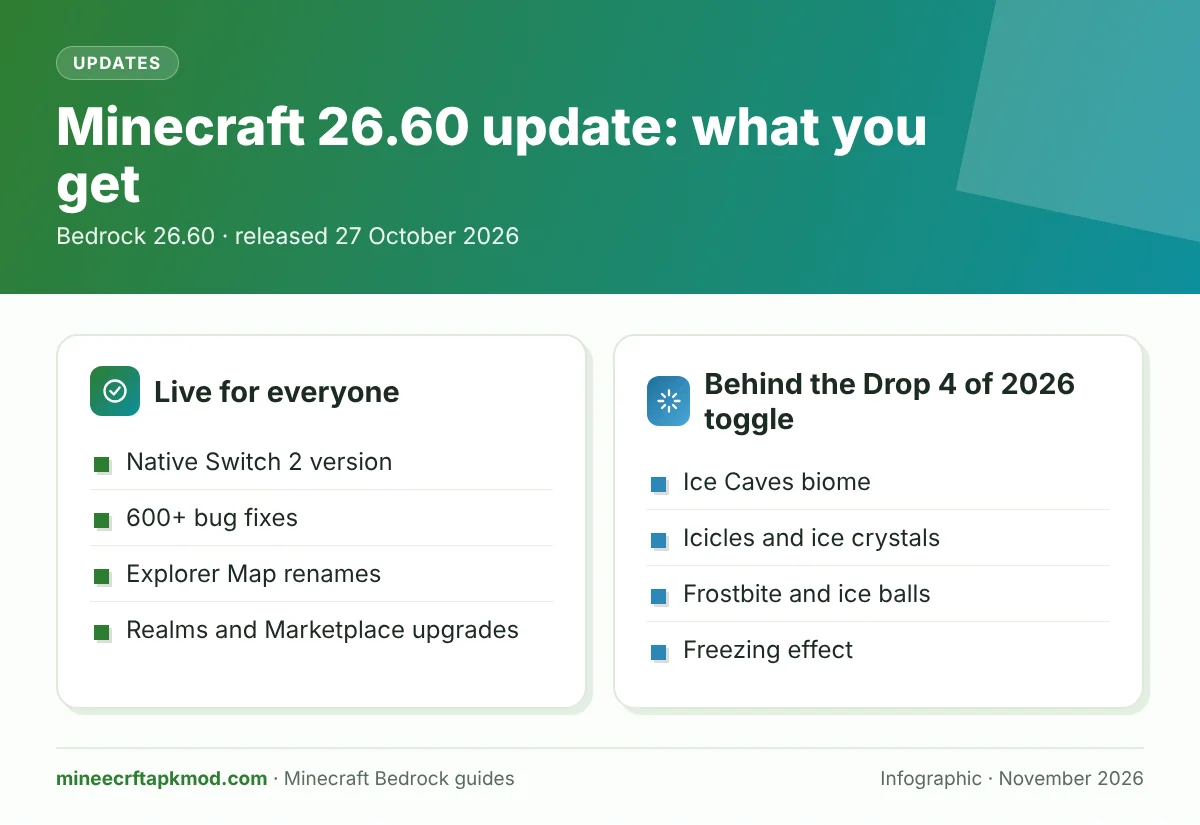
Most of 26.60 is live for everyone the moment you update. The part people talk about most, the frozen caves, is not, and that is the main reason players think the update “did nothing”.
| Change in 26.60 | Status | Needs a toggle? |
|---|---|---|
| Native Switch 2 version with Vibrant Visuals | Full release | No |
| 600+ bug fixes | Full release | No |
| Explorer Map renames | Full release | No |
| Realms Hub and member screen redesign | Full release | No |
| Marketplace Audio category and storage bar | Full release | No |
/time world clock commands | Full release (creators) | No, the old clock experiment was removed |
| Ice Cave biome, icicles, ice crystals | Experimental | Yes, Drop 4 of 2026 |
| Frostbite, Ice Ball, Freezing effect | Experimental | Yes, Drop 4 of 2026 |
| New block components for add ons | Experimental | Yes, Upcoming Creator Features |
| New Script API events | Beta | Yes, Beta APIs |
How to Get the Bedrock 26.60 Update
The update is free for anyone who already owns Minecraft Bedrock, and most devices install it on their own. If yours has not, use the official store for your platform below and then check the version in the bottom corner of the title screen.
Android and iPhone
- Open Google Play (Android) or the App Store (iPhone and iPad).
- Search for Minecraft and tap Update if the button shows.
- Launch the game and confirm the Minecraft 26.60 update is installed from the version number on the title screen.
If you play on a phone and want the basics of the mobile edition, our Minecraft Pocket Edition guide covers it. Store updates can take a few hours to reach every region, so a missing button on day one is normal.
Windows PC
Open the Minecraft Launcher (or the Xbox app), select Bedrock, and it will patch itself before it starts. PC Game Pass also includes Bedrock and Java, so subscribers get the same build through the same launcher.
Xbox and PlayStation
Consoles usually download the patch in rest mode. MP1st lists the console download as update 3.51 and 1.061, which is simply how the console stores name 26.60, so do not worry if you do not see “26.60” on the update screen.
Nintendo Switch and Switch 2
The original Switch version updates through the Nintendo eShop like any patch. The native Switch 2 version is a separate piece of software, covered in the next section, and it also launched on 27 October.
Is There a Safe Minecraft 26.60 APK Download?
Not outside the official stores. Minecraft is a paid game, and sites that promise a free 26.60 APK are offering unofficial copies that you cannot verify and that Mojang does not support.
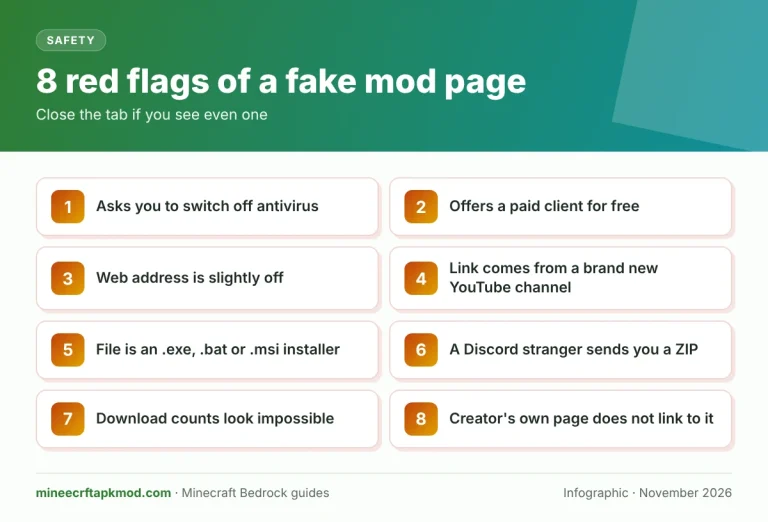
Fake game files and “free” mod downloads are also a known way to spread password stealing malware, which we explain in our guide to fake Minecraft mods and malware. Buy once from Google Play or the App Store and every future update, including this one, arrives free.
Minecraft on Nintendo Switch 2
The headline of this Switch 2 update is simple: Minecraft now runs as a native Switch 2 game instead of the old Switch version running in compatibility. The changelog confirms it launched with Vibrant Visuals support, and Nintendo’s page lists the prices and upgrade rules.
What the Native Switch 2 Version Adds
- Vibrant Visuals on by default: directional lighting, volumetric fog and dynamic shadows, the graphics mode other Bedrock devices got in 2025.
- Limits to know: Vibrant Visuals turns off in split screen and in some Marketplace worlds, according to Nintendo.
- Super Mario Mash Up Pack: still a Nintendo exclusive, now updated for Vibrant Visuals and included with every Switch 2 edition.
- Changelog fixes for Switch 2: better split screen performance and no more UI pieces showing up in world preview images with Vibrant Visuals on.
- Online play: multiplayer still needs a Nintendo Switch Online membership.
Alt text: Vibrant Visuals on the native Switch 2 version of Minecraft
Caption: Vibrant Visuals arrives on Switch 2 with the Minecraft 26.60 update
Switch 2 Upgrade Path for Existing Switch Owners
Your path depends on whether you own the original Switch version digitally or on a cartridge. Either way, Nintendo says every Switch player can bring their worlds across to the Switch 2 version and keep going, whichever edition they pick.
Digital Owners
If you bought Minecraft for Switch from the eShop, the digital Standard Edition for Switch 2 is free until the end of January 2027. Nintendo Life reports the free offer covers most regions but not Japan or Taiwan.
- On your Switch 2, open the Nintendo eShop with the Nintendo Account that owns Minecraft for Switch.
- Find Minecraft for Nintendo Switch 2; the Standard Edition should show as free for your account.
- Download it, launch it and move your worlds across from the old version.
- If you want more content, the Deluxe or Ultimate Collection is offered at a discounted upgrade price instead.
Physical Cartridge Owners
Cartridge owners do not get the free Standard upgrade. Instead, Nintendo says that if you launch the Switch version on a Switch 2 between 9 a.m. PT on 27 October 2026 and 9 a.m. PT on 31 January 2027, an in game message offers a discounted upgrade to the digital Ultimate Collection.
Switch 2 Editions and Prices
| Edition | US price | What you get |
|---|---|---|
| Standard | $29.99 | Base game, Vibrant Visuals, Super Mario Mash Up Pack |
| Deluxe Collection | $39.99 | Standard plus wings, a hat, a coat, three add ons (Celebration Food, Plenty of Blocks, Rescue Dogs) and 700 Minecoins |
| Ultimate Collection | $49.99 | Deluxe plus Decocraft, Weapons and Tools, two more cosmetics and 1,000 Minecoins in total |
Prices are from Nintendo’s US page and may differ in your region. Nintendo lists all three editions as digital downloads from the eShop, and any Minecoins they include can only be spent on Nintendo systems.
Minecoins on Nintendo After 27 October
Minecoins are now split by platform. Coins bought on a Switch or Switch 2 work only on Nintendo systems, and coins bought elsewhere can no longer be spent in the Nintendo Marketplace.
Coins you already had were moved into a Legacy Wallet. Mojang’s Minecoin changes for Nintendo article says these keep working across platforms, never expire and are spent before any new coins, so check the platforms printed on a Minecoin card before you buy one.
Try the Ice Caves experiment on a copy of your world. Experimental worlds lose achievements and can never be turned back into normal worlds.
Drop 4 of 2026: The Ice Caves Preview
The winter content in 26.60 is an early look at the fourth and final game drop of 2026, which Mojang showed at Minecraft Live on 26 September. None of it appears unless the experiment is on, and every number can still change. For the full survival guide, read our Ice Caves, Frostbite and Freezing guide.
Ice Cave Biome
Ice Caves are a new cave biome that forms under cold Overworld biomes. They are built mostly from Packed Ice and Calcite and are decorated with icicles, snow patches and glowing ice crystals, and Strays and Frostbites can spawn inside.
Icicles and Ice Crystals
Icicles hang from ceilings and can drop on anything below, dealing damage when they land. They also break loose near strong light, so a torch placed carelessly can bring one down on your head.
Ice Crystals are a light giving block that looks a little like amethyst. Mojang lists a known issue in 26.60: the crystals are smaller than intended, so expect them to change.
Alt text: Ice Cave with icicles and ice crystals in the 26.60 experiment
Caption: An Ice Cave from the Drop 4 of 2026 experiment
Frostbite and Ice Balls
The Frostbite is a new zombie variant for cold places. It hits in melee to apply Freezing and throws Ice Balls from range, and a Frostbite that stays underwater long enough turns back into a normal Zombie.
The preview notes add that Zombies and Husks sitting in Powder Snow turn into Frostbites, and that an Ice Ball deals 4 damage, reduced at lower speeds, with knockback. Frostbites drop Rotten Flesh and Ice Balls, and Ice Balls can be brewed into a Potion of Freezing.
The Freezing Effect
Freezing is a new mob effect that slowly freezes you the way Powder Snow does. You shake, jump lower and take damage over time, while mobs that are weak to freezing take five times the damage.
Leather Armor stops the freezing damage but does not remove the effect itself. Carry a set when you explore, the same way you would for a snowy biome.
How to Turn On the Drop 4 of 2026 Experiment
The experiment works in the full 26.60 release, so you do not need Preview or Beta. Microsoft’s experimental features guide explains the menus, and the steps are:
- Update to 26.60 and select Play, then Create New World (or the edit pencil on an existing world).
- Open the Game settings and scroll down to Experiments.
- Switch on Drop 4 of 2026 and confirm the warning by choosing Turn on Experiments anyway.
- Create the world. For an existing world, choose Activate Experiments and the game makes a separate “Copy of” world for you.
- Travel to a cold biome and dig below it in freshly generated land.
Look for the Experimental tag next to the game mode in your world list to confirm it worked. A world with experiments can never be turned back into a normal world, and achievements are switched off for it, so test on a copy.
Alt text: Drop 4 of 2026 experiment toggle in Minecraft Bedrock world settings
Caption: Turn on Drop 4 of 2026 to see the Ice Caves in 26.60
Why Ice Caves Are Not Showing Up
- The experiment is off. Updating the app alone does not add Ice Caves to any world.
- You are in old terrain. Chunks you already explored will not change, so travel to new land.
- You are under the wrong biome. Ice Caves only form beneath cold Overworld biomes.
- You are on a Realm. Experiments must be set on the world itself, so the usual approach is to build the experimental world locally and then upload it to the Realm with Replace World.
When Ice Caves Become a Full Feature
Mojang has not given a date. The finished drop is planned for Bedrock 26.70 and Java 26.4, and Preview 26.70.20 on 13 October already added more winter content, including Brittle Ice and jukebox playlists.
The Headline 26.60 Bug Fixes
Mojang counts more than 600 bug fixes in the Minecraft 26.60 update, and 89 of them came from player reports. These are the ones most players will notice in survival, building and multiplayer.
| Area | What was fixed | Who notices |
|---|---|---|
| Commands | Players no longer get kicked when a command targets a selector that matches nobody, such as /tell to a player who is not online | Server and Realm players |
| Redstone | Redstone shows the right state after /fill or /setblock replaces blocks | Builders |
| Pistons | Pistons no longer get stuck in neighbouring blocks after a replacement | Redstone fans |
| Pistons and Shulkers | Pistons now push Shulkers, matching Java Edition | Farm builders |
| Note blocks | Wool and concrete now work properly with Note blocks | Music builders |
| Bundles | Items in a Bundle no longer vanish when the Bundle sits in a Double Chest | Everyone |
| Villagers | Villagers no longer freeze if you interact with them while your inventory is opening | Traders |
| Baby horses | Baby horses can no longer squeeze through gaps that are too narrow | Horse breeders |
| Fall damage | Landing on a solid block at the edge of water now causes fall damage | Survival players |
| Effects | A weaker, longer effect now comes back after a stronger, shorter one ends | Potion users |
| Loading | Pausing during a dimension change no longer leaves you stuck on Generating World | Everyone |
| Crashes | A crash from drawing too many hearts on the HUD is gone | Players with high health |
Several of these fixes involve commands and target selectors. If you want a refresher on how selectors and syntax work, our Minecraft commands list explains them.
Gameplay and Mob Fixes
Axolotls can no longer stack Regeneration forever, split Slimes no longer copy their parent’s properties, and the Drowned have an updated model with visible helmets. Tamed baby mobs can now be healed by feeding them food, and healing can no longer kill a mob in rare cases.
Redstone, Pistons and Commands
Beyond the table, several redstone connection and rendering bugs were fixed, and error spam at the build height limit was reduced. On the commands side, /listd now reports round trip ping instead of one way ping, which gives server owners a truer number.
Wilderness Bound Fixes
The September drop gets a cleanup too. Cushions in unloaded chunks no longer vanish, sitting on one now lowers you by two pixels, and Straw Beds can no longer be placed where an entity is standing.
Straw Beds also got a camera height fix while sleeping. Abandoned Camps in swamps no longer spawn Mycelium or stray Coarse Dirt, and the lag spike when you first open a camp chest was cut down. Catch up on that drop in our Wilderness Bound guide.
Stability, Input and Accessibility
Xbox Live sign in no longer hangs forever; it now times out and shows a network error. Android chat typing and Switch wireless controller problems were fixed, Xbox One gets better memory handling, and dropping markers on the minimap no longer tanks the frame rate.
The interface now supports more extended Latin, Cyrillic and Greek characters, and many narration, closed caption and controller navigation bugs were fixed. Touch players should also notice less visual stuttering.
Never download a 26.60 APK from an unofficial site. The update is free from your official store, and fake game files are a common way to spread malware.
Explorer Maps Renamed
If a cartographer’s map suddenly has a different name, nothing is broken. Five Explorer Maps were renamed so each one names its destination.
| Old name | New name in 26.60 |
|---|---|
| Ocean Explorer Map | Ocean Monument Map |
| Swamp Explorer Map | Swamp Hut Map |
| Trial Explorer Map | Buried Trial Chambers Map |
| Woodland Explorer Map | Woodland Mansion Map |
| Jungle Explorer Map | Jungle Pyramid Map |
Other Gameplay Changes Worth Knowing
- Lush Caves now generate instead of Dripstone or Sulfur Caves in very humid regions.
- Red and Brown Mushrooms need support under their centre to be placed.
- Placing Snow now creates vibrations, so Sculk Sensors react to it.
- Trapdoors lock to one direction while you hold the place button, which makes long rows easier.
- Fireballs, bonus chests, the Wind Burst Mace, untipped arrows and Strider dismounting all got behaviour fixes.
- Large worlds can now be duplicated on Switch when there is enough storage.
Realms Changes in 26.60
Realms received some of the most useful upgrades in the Minecraft 26.60 update. Mojang lists big improvements to world upload and download speed and reliability, and a Realms free trial is now available on Nintendo Switch.
Invites and Member Screens
You can now invite people to a Realm without first being Xbox friends, and the member screens were rebuilt with faster search and a list of recommended friends. Deep links can also open a specific Realm directly, and purchase terms now show an automatic renewal notice.
Realms Hub
The Realms Hub now lists the packs applied to each world, adds a Learn more help section, labels hardcore worlds correctly and shows the right world size. Before you upload a world to a Realm, keep a backup copy on your device. Our recent versions page helps if you need to check which Bedrock build your friends are running.
Marketplace and Character Creator Changes
- A new Audio category, plus a new Creators icon in the navigation.
- A Marketplace Storage bar on devices that keep content in separate storage folders.
- Updates that never finished, or never closed their progress screen, now complete properly.
- Imported custom skins stay after you restart the game.
- Declining to buy a missing pack no longer traps you in an error loop.
- The Wishlist updates right away after changes.
- Character Creator shows skin info on skins you have not bought, and hides items and custom layers under armor.
- Worlds that lost achievements only because of add ons get them turned back on the first time you play.
Vibrant Visuals and Graphics Fixes
The game now warns you when your render distance goes past what the chosen graphics level can show. A crash when changing render resolution on PlayStation with high settings is fixed, and Volumetric Lights are more stable on PS4 and Android.
Custom graphics mode now rounds down to the closest supported resolution, and items no longer turn invisible in the inventory with certain brightness and anti aliasing settings. Fog, sky fading, outlines and shulker dithering also got fixes.
Creator and Technical Changes in Brief
Most players can skip this part, but add on makers and server owners should read it before updating packs. Making add ons yourself? Test every pack on a copy of your world first.
Script API and Custom Forms
The main server scripting module reaches version 2.11.0, with a 2.12.0 beta, and many World Clock APIs move from beta to stable. The server UI module 2.3.0 adds tooltips and button icons to custom forms, while new beta events cover named block ticks, neighbour changes, player crafting and cursor grabs.
Stricter JSON, New Block Components and States
From format version 1.26.60, many entity and block components are checked more strictly, and invalid JSON now fails to load instead of being ignored. For example, minecraft:collision_box now expects an array, and the changelog includes a guide to convert the old origin and size format.
New experimental block components include entity storage, enchantment power, vibration properties and neighbour change. Chorus Plants, Fire and Redstone Dust also expose new connection states, .mcstructure files can use zlib compression, and a new minecraft:clouds component sets cloud height in custom dimensions.
Commands and World Clocks
The Creator World Clocks experiment is gone, so the clock commands now work in any world. New forms of /time can pause, resume and query time, and /time of <clock> controls each world clock by name.
Dedicated Servers and NetherNet
The old warning that nudged servers toward the NetherNet connection is now an error, because the older RakNet transport is deprecated. In practice, a 26.60 player cannot join a server still on 26.52, so update your Bedrock Dedicated Server and any Geyser setup first.
Dedicated servers also exit cleanly when the allow list and online mode settings clash, and new properties set limits on ticking areas. If friends see “Locating server”, remove the saved entry and add it again with the IP address.
Where 26.60 Sits in the 2026 Update Timeline
| Release | Date | What it brought |
|---|---|---|
| Tiny Takeover drop (Java 26.1, Bedrock 26.10) | 24 March 2026 | Baby mob redesign |
| Chaos Cubed drop | 16 June 2026 | Sulfur Caves, Sulfur Cube, cinnabar |
| Wilderness Bound drop (Bedrock 26.50) | 15 September 2026 | Dappled Forest, Poplar wood, Abandoned Camps, Straw Beds, Cushions |
| Bedrock 26.52 hotfix | 25 September 2026 | Fixes for Wilderness Bound |
| Bedrock 26.60 | 27 October 2026 | Switch 2, 600+ fixes, Ice Caves experiment |
| Drop 4 of 2026 (Bedrock 26.70, Java 26.4) | Not announced | Ice Caves as a full feature |
Seen this way, 26.60 is the bridge between Wilderness Bound and the winter drop. It cleans up the last drop, brings the Switch 2 version, and lets you try the next one early.
Our Ice Caves guide covers every new block, the Frostbite and the freezing potions. It also lists which preview build added each feature.
Minecraft 26.60 Update FAQ
These are the questions players ask most after reading the patch notes. Each answer comes from the changelog or the platform pages linked above.
When did the Minecraft 26.60 update come out?
It came out on Tuesday 27 October 2026 on every Bedrock platform, the same day the native Switch 2 version launched. The official changelog carries that date.
Is 26.60 the Ice Caves update?
Not fully. The Ice Caves, Frostbite and Freezing are only an experimental preview in 26.60, and the finished drop is planned for 26.70.
Is the Switch 2 upgrade free?
It is free for digital Switch owners until the end of January 2027, in most regions outside Japan and Taiwan. Cartridge owners get an in game offer for a discounted Ultimate Collection instead.
Will my Switch worlds carry over to Switch 2?
Yes. Nintendo says all previous Switch players can transfer their worlds to the Switch 2 version, whichever edition they choose.
Why can I not join my favourite server after updating?
Most likely the server is still on an older version or still uses the old RakNet connection. The server owner needs to update to 26.60, and you can try adding the server again by IP.
Does the experiment turn off achievements?
Yes, worlds with experiments do not earn achievements and cannot go back to normal. Use a copy of your world to try the Ice Caves.
Did Java Edition get 26.60?
No, 26.60 is Bedrock only. Java players test the same winter content in the 26.4 snapshots.
You now know exactly what changed, why the Ice Caves need a toggle, how to move your Switch worlds to Switch 2 without paying twice, and which fixes explain the odd differences you noticed after updating. Update from your official store, try the Drop 4 of 2026 experiment on a copy of your world, and report anything strange on Mojang’s bug tracker so it is fixed before 26.70.